

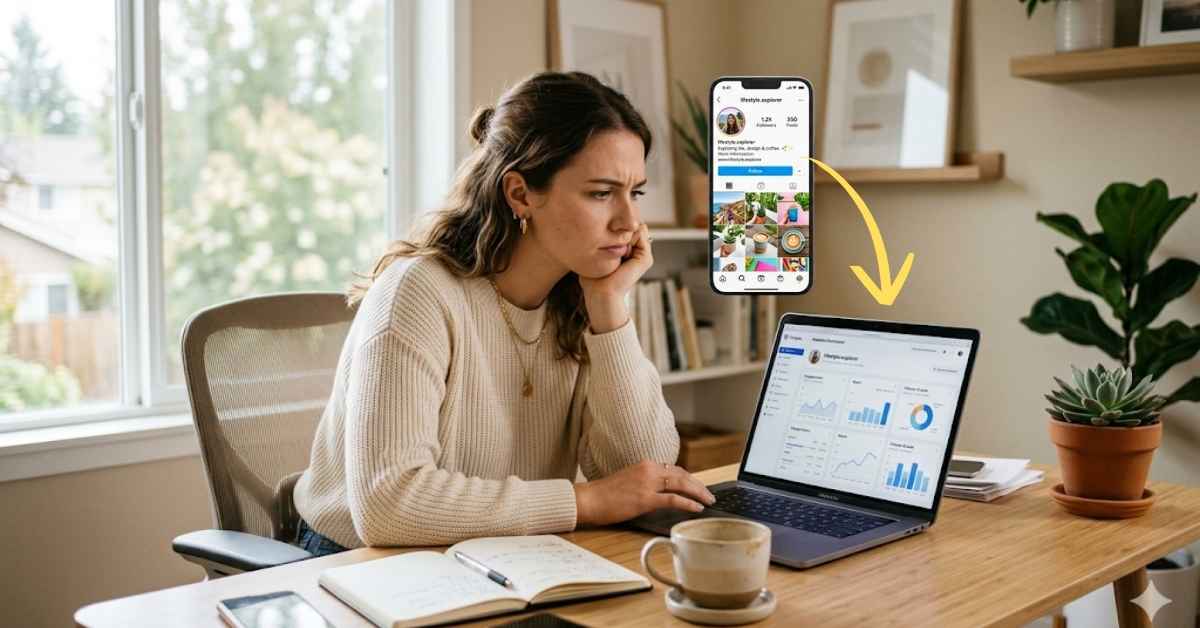
You post a great piece of content, wait for the notifications to roll in, and get nothing but crickets. If you find yourself constantly asking, “Why is my Instagram engagement low?”, it is easy to assume your audience just stopped caring.
The good news is that low numbers rarely mean your content isn’t good enough. It usually comes down to a few minor strategy mistakes that are completely fixable. Here are the most common reasons your engagement stays quiet and exactly how to fix each one today.
Before we get into the causes, it helps to know whether you actually have a problem or just unrealistic expectations.
A lot of small business owners compare themselves to big brands or celebrities and feel like they’re failing. But those accounts operate in a completely different world.
Here’s what the numbers actually look like for smaller accounts. For Instagram accounts with under 10,000 followers, engagement rates between 2% and 6% are typical, with some accounts achieving even higher due to strong audience connection.
The median Instagram engagement rate across all industries sits at 0.36%, according to Rival IQ’s platform-wide benchmark. That number is pulled down by large brand accounts with hundreds of thousands of followers.
So if you have a small, tight-knit following and you’re hitting 3% to 5%, that’s actually a strong result.
The most important thing is to stop comparing yourself to accounts that have nothing to do with your size or industry. Compare your rate to your own previous results over time, not to random accounts that have nothing to do with your audience or industry.
Now let’s look at what might be pulling your numbers down.
Before you can fix the problem, you need to know what’s causing it. Here are the most common reasons Instagram engagement drops for small business accounts.
The Instagram algorithm pays close attention to how regularly you show up.
Posting every day for two weeks and then going quiet for a month sends mixed signals. Your followers don’t know when to expect content from you, and the algorithm stops prioritizing your posts in their feeds.
You don’t need to post every day. But you do need a schedule you can actually stick to. Posting at least three to five times a week, and balancing quality with consistency, is what keeps engagement healthy over time.
Pick your posting days, put them in your calendar, and treat them like any other business commitment.
Look back at your last ten posts. How many of them ended with a question or a clear invitation for your audience to respond?
If most of them ended with a full stop and nothing else, that’s a big reason your comments section is quiet. Instagram is a two-way platform. Posts that only broadcast information get far fewer interactions than posts that invite a response.
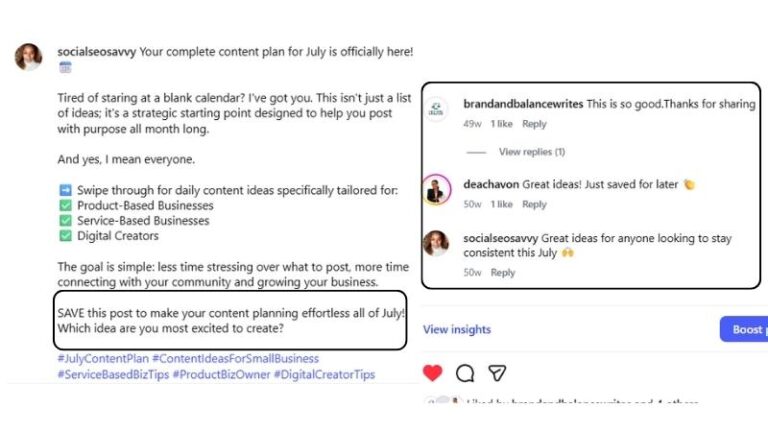
A simple question at the end of a caption can make a real difference. “Which would you choose?” or “Have you tried this before?” gives people an easy reason to comment. And comments are one of the strongest signals you can send to the Instagram algorithm.
Static images, carousels, Reels, and Stories all reach different segments of your audience in different ways.
If you’ve been posting only static images, you’re leaving a lot of reach on the table. Carousels remain one of the most effective formats on Instagram, showing the strongest engagement resilience year over year, while static images continue to decline both in engagement and posting volume.
Creators who pivoted to Reels saw engagement rates jump significantly, and by 2025 the most successful accounts were running a dual strategy: Reels for reach, feed posts for community.
You don’t have to master every format at once. But mixing things up, even slightly, gives the algorithm more to work with and your audience more ways to find you.
Even a great post can underperform if it goes out when your audience is not online.
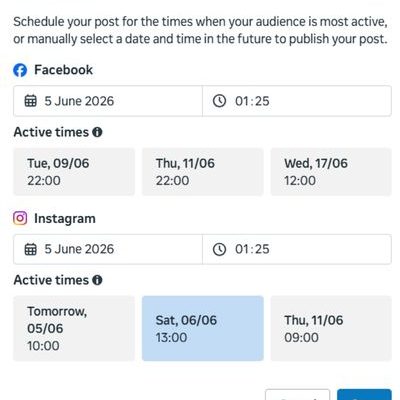
Instagram’s algorithm prioritizes recency. Newer posts appear higher in feeds. So if you post at 11pm and your audience is most active at 9am, your content is already buried by the time they open the app.
Posting 30 to 60 minutes before your audience’s peak activity can lift reach by up to 25%. You can find out exactly when your followers are most active by checking Instagram Insights. Go to your profile, tap the menu icon, select Insights, then scroll to your Audience section.
Check it once. Then adjust your posting schedule to match.
Scheduling a post and walking away is one of the most common mistakes small business owners make on Instagram.
The first 30 to 60 minutes after posting directly influence how far your content travels beyond your existing audience. The algorithm uses early engagement as a signal of whether your post is worth showing to more people. If you post and then ignore the comments for three hours, that window closes.
Reply to every comment as quickly as you can after posting. Engage back. Ask a follow-up question. Even a short reply counts as engagement and keeps the post active in the algorithm’s eyes.
Using 30 hashtags on every post and copying the same list each time is a strategy that stopped working a few years ago.
Hashtags that are too broad, think ones with tens of millions of posts, mean your content gets buried in seconds. And repeating the exact same hashtag block across every post can look like spam to the algorithm.
A better approach is to use five to ten targeted hashtags per post. Mix a few broader ones with several mid-size ones and one or two very specific to your niche or location. Research which hashtags your ideal customers actually follow and use, and rotate your selection so it stays fresh.
This one surprises people. A larger following is not always a good thing.
If your account has thousands of followers who never interact with your content, your engagement rate gets dragged down. The algorithm looks at how many of your followers engage relative to your total audience size. A smaller, genuinely interested following will always produce better engagement numbers than a large, disengaged one.
The 2025 Instagram algorithm favors engagement quality over size. Smaller accounts that build active communities through comments, DMs, and replies often outperform larger but less personal brands.
You can not force inactive followers to leave. But you can stop attracting the wrong ones by making sure your bio and content are clearly aimed at your ideal customer.
Instagram moves fast. You have about one second to catch someone’s attention before they scroll past.
Blurry photos, cluttered graphics, and captions that start with a long introduction all lose the scroll battle before they even get a chance. The visual and the first line of your caption are the two things that decide whether someone stops or keeps going.
Your visual needs to stand out in a fast-moving feed. Your caption needs to open with something that makes people want to read more. A strong hook at the start, whether it’s a question, a bold statement, or a surprising fact, makes a bigger difference than almost anything else.
Now let’s talk solutions. Here is what to do if your Instagram engagement is low and you want to turn things around.
Consistency is more important than frequency. Posting three times a week every week beats posting seven times one week and then disappearing for two weeks.
Pick your posting days, decide on a realistic number of posts per week, and treat it like a non-negotiable business task. Use a free scheduling tool like Meta Business Suite or Later to schedule your posts in advance so you are not relying on memory or motivation on the day.
Go back to your next post before you hit publish and ask yourself: “Is there anything here that gives someone a reason to comment?”
If not, add a question at the end. Keep it simple and specific. “Which would you pick?” gets more responses than “What do you think?” Give people a short, easy answer they can drop in the comments without thinking too hard.
Also pay attention to your opening line. The first sentence of your caption is what people see before they tap “more.” Make it count. A question, a bold claim, or a relatable statement all work well as hooks.
You do not need to film professional videos. Short, useful, and relatable Reels filmed on a phone work well for small business accounts.
Repurpose a tip from a blog post, answer a frequently asked question, or show a behind-the-scenes moment in 15 to 30 seconds. Keep it simple and focus on being helpful rather than polished.
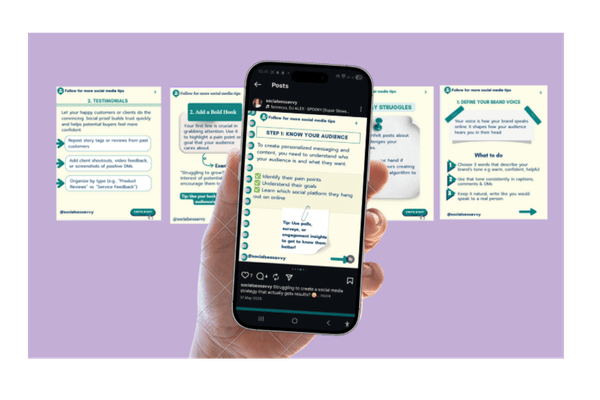
Research analyzing more than four million Instagram posts shows that carousels get higher engagement than single-image photos or videos, because the format gives the algorithm multiple chances to show your content to the same person. If someone does not swipe through to the end, Instagram may show it to them again.
Creators who engage with five to ten accounts in their niche immediately before posting see around 35% higher initial engagement rates, because it signals to the algorithm that you are an active community participant and not just broadcasting.
Spend ten minutes before posting leaving genuine comments on posts from accounts your ideal customers follow. Then stay active for at least the first hour after your own post goes up. Reply to every comment. Ask follow-up questions. The more active the conversation, the further your post travels.
Open Instagram, go to your profile, tap the three lines in the top right corner, and select Insights. Under the Audience tab, scroll down to see the days and times your followers are most active.
Schedule your posts to go out during those windows. It is a small change but it makes a real difference to early engagement, which is what drives the algorithm to push your post to more people.
Use five to ten hashtags instead of thirty. Focus on relevance over volume.
A good mix includes one or two broader hashtags in your general niche, several mid-size ones with between ten thousand and five hundred thousand posts, and one or two very specific ones related to your location or exact service. Rotate your hashtag selection between posts so it does not look repetitive.
Research which hashtags your ideal customers follow by checking the profiles of people who engage with accounts similar to yours.
You cannot control inactive followers who are already there. But you can make sure you stop attracting the wrong ones going forward.
Start with your bio. It should clearly state who you help, what you offer, and what someone should do next. If your bio is vague, the wrong people will follow you and the right ones will scroll past.
Then create content that speaks directly to your ideal customer. Not content for everyone, content for one specific person with one specific problem. The more focused your content is, the more likely it is to attract followers who will actually engage with it.
If you want to take action today without overhauling your whole strategy, start here.
Update your bio so it clearly states who you are, who you help, and what someone should do next.
Go back to your last five posts and reply to any comments you have not answered. Post a question in your Stories using the question sticker.
Check your Instagram Insights and find out when your followers are most active. And commit to your next three posts in advance so you have content ready to go without scrambling.
None of these take more than thirty minutes. But they all move the needle in the right direction.
Set realistic expectations here. Engagement does not turn around overnight, and anyone who tells you it will is selling something.
Most accounts start to see real improvement within four to six weeks of making consistent changes. The key word is consistent. Trying one thing for three days and then going back to old habits will not get you anywhere.
Track your engagement rate at the end of each month, not every day. Daily numbers are noisy. Monthly trends tell you whether what you are doing is working.
If you need help knowing what to track and how to read the numbers, this post on how to measure social media success for small business walks you through it step by step.
If your Instagram engagement is low right now, it does not mean your business is doing something wrong. It means your content strategy needs some adjustments. That is a fixable problem.
Here is a quick recap of where to start:
Pick two or three of these to focus on first. Get those right, then add more. Small, consistent improvements compound over time and the results will show up in your monthly numbers.
Managing your Instagram on top of everything else feels like too much? Get in touch here, and let’s talk about what your account needs.
Share this post

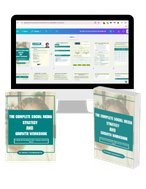
This workbook provides a step-by-step framework for building and executing a winning strategy. It contains everything that you need to grow on social media and attract more customers online. You’ll also receive 4 exclusive bonuses worth $40 at no extra cost!
Driving growth through innovative digital marketing strategies that increase brand visibility, engagement, and conversions for lasting success.
© Copyright 2026 Ifeoma Anumudu – All Rights Reserved.