


Most small business owners treat captions like an afterthought because they simply don’t know how to write social media captions for small business success. They spend hours tweaking a photo, get the design right, and then type something generic like “New week, new post!” before hitting publish. Then, they wonder why nobody is engaging.
Your caption isn’t just decoration; it is the whole point. It is where you feed the algorithm, connect with your audience, and turn passive scrollers into paying customers. Get it right, and your reach grows. Get it wrong, and even a beautiful photo disappears into the feed.
Here is a simple guide to how to write social media captions for small business the right way.
Your image is what stops the scroll. Your caption is what gets people to do something.
A strong caption turns a passive viewer into someone who comments, saves, or clicks through to your website. A weak one gets scrolled past in half a second, even if the photo is great.
Captions also affect your reach more than most people realize. The Instagram and Facebook algorithms reward posts that generate comments and saves. That means a caption that sparks a conversation directly helps your content get shown to more people.
On Instagram specifically, keywords inside your captions now influence how your content shows up in search results. So a well-written caption does not just drive engagement. It also helps new people find you.
Before we get into the formula, let us look at the three parts that every caption needs to do its job.
The first line of your caption is the most important one.
On Instagram and Facebook, only the first one to two lines show in the feed before the “more” button appears. The first 125 characters are what users see before the caption gets cut off, which means if your opening line does not grab attention, most people will never read the rest.
A good hook can be a direct question, a bold statement, a surprising fact, or a relatable moment. The goal is to make someone stop and want to read more.
This is where you deliver the value, share the story, or make your point.
Keep sentences short. Use line breaks between ideas. Walls of text get scrolled past, especially on mobile, so white space is your friend. Write the way you talk. Read it out loud before posting. If it sounds stiff or awkward, rewrite it until it sounds like you.
Every caption needs to end with a clear next step.
Tell people exactly what to do: comment, save, click, share, or answer a question. A specific call to action always outperforms a vague one. “Drop your answer in the comments” works better than “let me know what you think.” Give people one clear, easy thing to do.
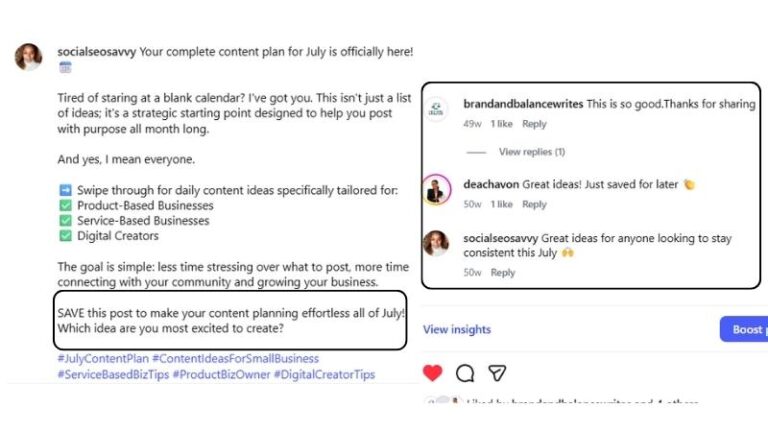
You do not need to be a copywriter to understand how to write a social media caption for small business. You just need a formula you can follow every time.
This formula works for Instagram, Facebook, LinkedIn, and TikTok. The only thing that changes between platforms is the length and tone, which you adjust based on where you are posting.
Here are four hook formulas you can use and adapt for your own content:
Question hook: “Have you ever spent an hour writing a caption and hated every word of it?”
Bold statement hook: “Most small business owners are writing captions the wrong way.”
Relatable moment hook: “Running a business and managing social media at the same time is a lot.”
Surprising fact hook: “The first line of your caption decides whether anyone reads the rest.”
Pick the style that feels most natural to you and practice writing hooks until it becomes second nature. Your hook is the single most important part of any caption, so it is worth spending a little extra time on.
Talk to one person, not a crowd.
Use “you” and “your” throughout. Avoid industry jargon your audience might not understand. Short sentences work better than long ones. And line breaks between paragraphs make captions much easier to read on a phone screen.
Think about what your ideal customer actually needs to know. Then say it as simply and directly as possible. Every sentence should earn its place. If a line does not add anything, cut it.
Not every post needs a long caption, and not every post needs a short one. The right length depends on what the post is trying to do.
A good approach is to use mostly short captions (around 60% of posts) for quick engagement and Reels, and incorporate medium captions (around 30%) to build trust and brand identity.
Mash Creative Co.’s 2025 Instagram post length research recommends a content mix of mostly short captions for quick engagement and Reels, with medium captions for brand building.
Long captions work best for educational posts, storytelling, and behind-the-scenes content where the reader genuinely wants more detail.
Hootsuite’s research on ideal social media post length also confirms that shorter captions tend to outperform longer ones for straightforward engagement such as likes, comments, and shares.
The simple rule: say what needs to be said and stop. No padding, no repeating yourself, no unnecessary filler.
This matters more now than it used to.
On Instagram, keywords inside captions influence how your content shows up in search. When someone types a phrase into the Instagram search bar, posts with that phrase in the caption have a better chance of appearing.
Use natural language that includes words your ideal customer would search for. Do not force keywords in awkwardly. One or two relevant terms woven in naturally is all you need. Write for your reader first, then check whether any natural keywords are already there.
Here are five call to action examples you can use or adapt:
Research from Socialinsider found that including a specific call to action in captions does influence engagement on Instagram, with certain CTAs consistently outperforming others. The best ones are direct, specific, and make it easy for someone to respond in seconds.
Different posts need different captions. Here is a simple guide to what works for each one.
Lead with the problem your product or service solves, not just what it is.
Nobody buys a product because of its features. They buy it because of what it does for them. So instead of “We offer social media management services,” try “Tired of spending your Sunday nights writing captions? Here is what working with a social media VA actually looks like.”
A simple structure that works: problem, solution, proof, call to action. Keep the focus on the customer, not on you.
Open with the tip itself or a teaser of what the reader is about to learn.
Break the content into short numbered points or separate lines so it is easy to scan. End with a save prompt. Educational content tends to get higher saves and shares, so always ask people to save the post so they can come back to it later.
If you want more ideas for what educational content to post, this guide on what to post on social media for small business has a full list to get you started.
Be specific and honest. Vague behind-the-scenes posts feel staged and people can tell.
Share something real: a mistake you made and what you learned, a step in your process people might not know about, or a moment that happened that day. These captions work best when they are written in first person and feel like something you would actually say out loud.

Keep the caption short and the question simple.
One question per post. Two questions in one caption confuse people and you end up getting fewer responses to both. Make it easy to answer in one or two words. “Morning or evening person?” gets more replies than “Tell me about your daily routine and what time of day you feel most productive as a business owner.”
Lead with the benefit, not the price.
Tell people what they will get, who it is for, and how to take the next step. Be clear about any deadline or limited availability without being pushy about it. And always end with a direct call to action that tells them exactly what to do next.
Even small business owners who put effort into their captions fall into some of these traps. Here are the most common ones to watch out for.
Writing for yourself instead of your audience. Every caption should be about what your reader gets, not what you want to say.
Starting with your business name or “I.” These openers do not hook anyone. Lead with the reader’s problem or a question instead.
No hook in the opening line. If your first line is boring, the rest of the caption does not matter. Most people will not click “more.”
Walls of text with no line breaks. On a phone screen, a long unbroken paragraph looks like work. Break it up.
No call to action at the end. Every caption should tell someone what to do next. If it does not, you are leaving engagement on the table.
Trying to say too many things in one caption. One post, one message. Pick the most important thing and say only that.
Using hashtags in the middle of the caption body. Hashtags inside the text interrupt the reading flow. Put them at the end of the caption or in the first comment.
You do not need to figure this out completely on your own. These free tools make the process easier.
ChatGPT is useful for generating a rough draft to edit and make your own. Never copy captions directly from AI. Use it to get past the blank page, then rewrite in your own voice.
Canva Magic Write is built into Canva and useful for quick caption ideas alongside your graphics, especially when you are already in the tool designing your visuals.
Grammarly catches grammar errors and readability issues before you post. The free version is enough for caption writing.
Later lets you draft, preview, and schedule captions alongside your visual content so you can see exactly how everything will look before it goes live.
One important reminder: tools help you get started, but your voice and personality are what make captions connect with your specific audience. Always edit before posting.
What makes a caption work is not fancy language or perfect grammar. It is clarity, a strong hook, and a reason for someone to respond.
Learning how to write social media captions for small business growth takes a bit of practice, but you can start with this simple formula on your next five posts. Check your Insights at the end of the month to see which captions got the most comments, saves, and reach. Do more of what worked and adjust what did not.
Need someone to write and manage your social media captions for you? Get in touch here and let’s talk.
Share this post

This workbook provides a step-by-step framework for building and executing a winning strategy. It contains everything that you need to grow on social media and attract more customers online. You’ll also receive 4 exclusive bonuses worth $40 at no extra cost!

Driving growth through innovative digital marketing strategies that increase brand visibility, engagement, and conversions for lasting success.
© Copyright 2026 Ifeoma Anumudu – All Rights Reserved.